
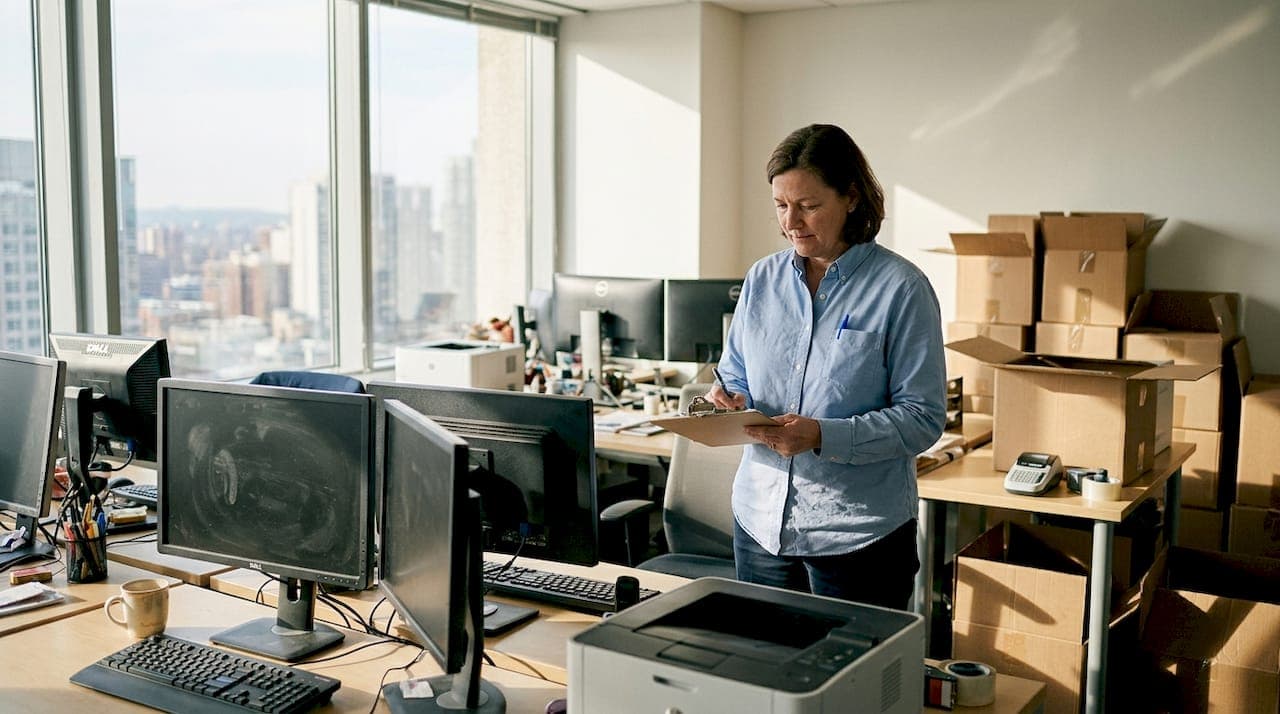
Moving a California business means more than booking a truck and showing up on moving day. The packing phase is where most relocations succeed or fail, and the financial stakes are real. Equipment damage, extended downtime, and scrambled cable setups cost businesses thousands in lost productivity before a single meeting happens in the new space. Damage rates between 6-12% are common when packing is treated as an afterthought. This guide gives you a precise, repeatable system to protect your computers, printers, networking gear, and other critical assets so your team is up and running fast on the other side.
Table of Contents
- Assess and inventory your office equipment
- Gather the right packing supplies and tools
- Step-by-step process: Packing for maximum protection
- Troubleshooting and common mistakes to avoid
- Why packing is the most undervalued part of office moves
- Seamless moves start with pro packing
- Frequently asked questions
Key Takeaways
| Point | Details |
|---|---|
| Inventory before packing | Making a full equipment list and assessing special packing needs prevents overlooked items and costly surprises. |
| Choose the right materials | Specialized cushioning and anti-static protection are crucial for fragile office equipment during moves. |
| Follow a proven process | Step-by-step packing greatly reduces damage rates and simplifies setup at your new office. |
| Avoid common mistakes | Double-check protection, labeling, and cable management to avoid unnecessary loss or downtime. |
Assess and inventory your office equipment
Before you touch a single box, you need a clear picture of what you are moving. Skipping this step is one of the most common reasons businesses end up with damaged or missing items after a move. A thorough inventory removes guesswork and helps your team pack with purpose.
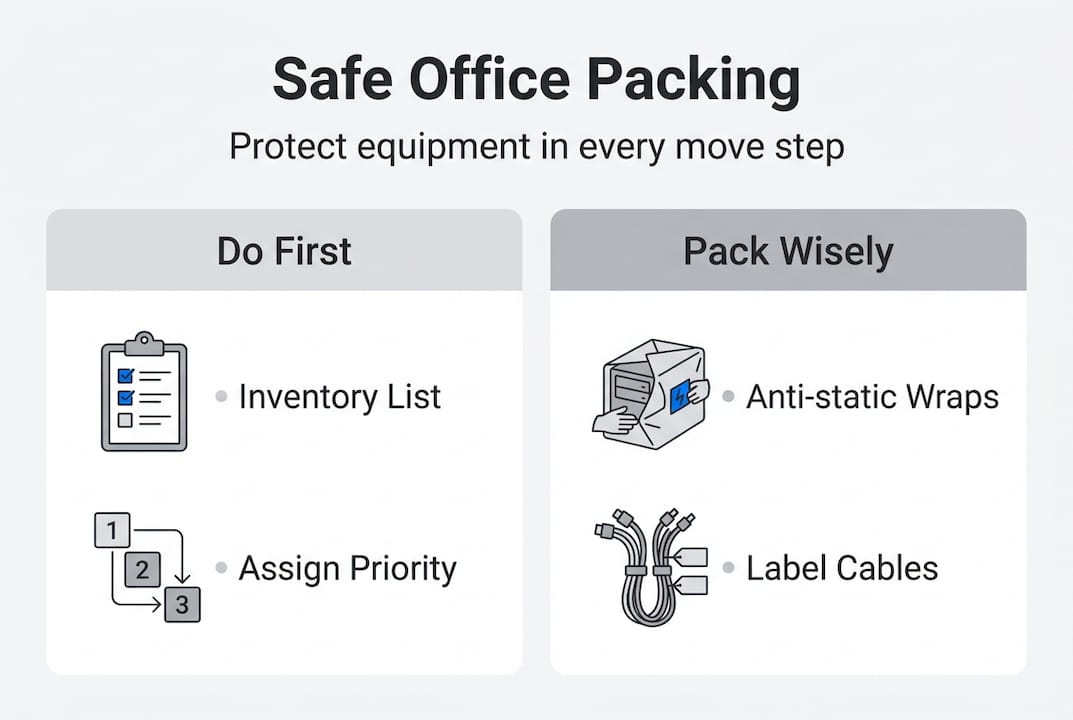
Start by walking every area of your office with a clipboard or a shared spreadsheet. Log each item by category, condition, and any special handling requirement. This is not just about counting computers. It includes monitors, docking stations, printers, scanners, conference room displays, routers, switches, and even uninterruptible power supplies.
Common office equipment and special packing needs:
| Equipment | Special packing need |
|---|---|
| Desktop computers | Anti-static bags, padded boxes |
| Monitors | Original box or foam-lined crate |
| Laptops | Hard-shell cases or bubble wrap pouches |
| Printers | Remove toner/ink, secure paper trays |
| Networking gear | Anti-static wrap, label all cables |
| Conference room displays | Custom crating or padded blankets |
| UPS units | Heavy-duty boxes, upright position |
Once your list is complete, assign a priority level to each item. Irreplaceable or high-value assets, like servers or specialized workstations, go at the top. Items that are easily replaceable rank lower. This helps you allocate your best packing materials where they matter most.
Tagging is equally important. Use color-coded labels or numbered stickers that match your spreadsheet. Each item gets a tag, and each box gets a corresponding label. When something arrives at the new location, you can check it off instantly. For tips on moving office equipment securely, a structured tagging system is consistently one of the highest-impact steps.
What to include in your inventory checklist:
- Item name and model number
- Serial number (for insurance purposes)
- Current condition (note any existing damage)
- Destination room or workstation at new location
- Special packing instructions
Pro Tip: Assign one person as your packing coordinator. This person owns the inventory list, checks items off as they are packed, and flags anything that needs special attention. Without a single point of accountability, things fall through the cracks.
Gather the right packing supplies and tools
With your inventory done, you now know exactly what you are dealing with. The next step is making sure you have the right materials before packing begins. Running out of bubble wrap halfway through is a problem that slows everything down and tempts people to cut corners.
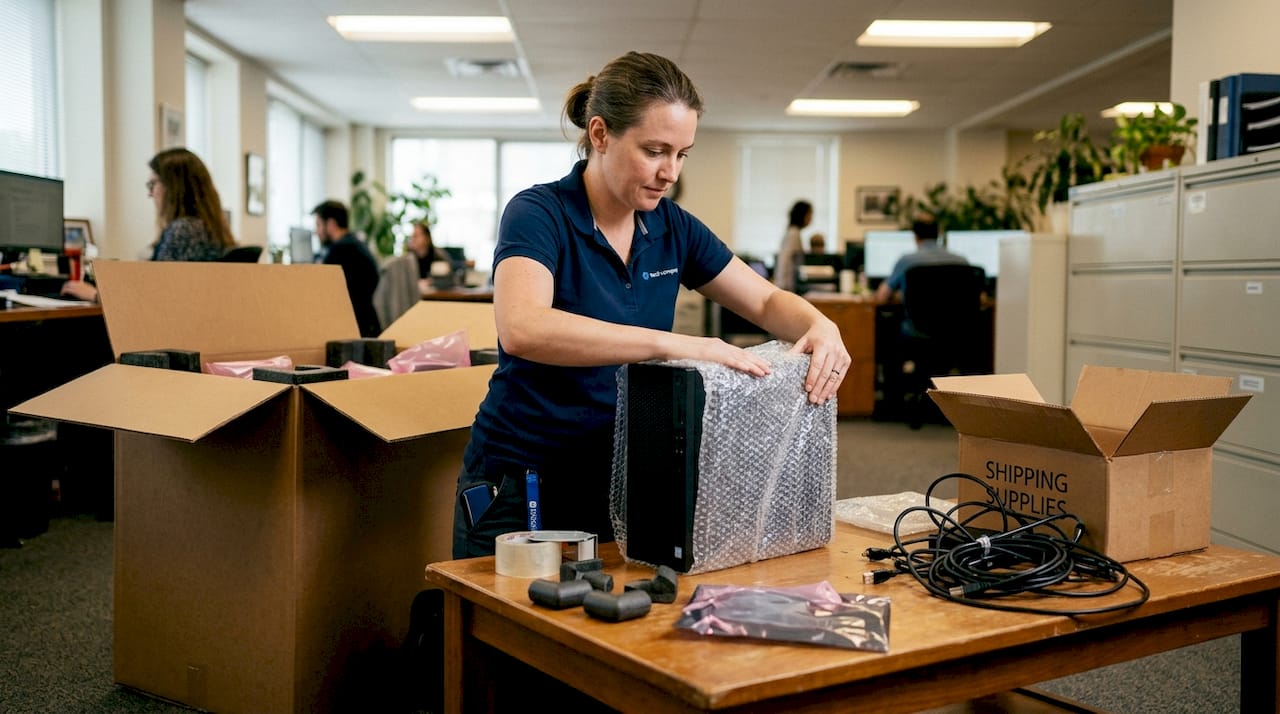
Equipment-specific cushioning and ESD protection can reduce damage rates to under 2%, which is a dramatic improvement over improvised packing. ESD stands for electrostatic discharge, and it is a real risk for electronics. A static shock that you cannot even feel can damage circuit boards permanently.
Standard vs. specialized packing materials:
| Material | Standard use | Specialized use |
|---|---|---|
| Cardboard boxes | General office items | Double-walled for heavy equipment |
| Bubble wrap | Fragile items | Anti-static bubble wrap for electronics |
| Packing tape | Sealing boxes | Reinforced tape for heavy loads |
| Foam padding | General cushioning | Custom-cut foam for monitors, servers |
| Plastic bags | Small accessories | Anti-static bags for circuit boards |
| Cable ties | Bundling cables | Velcro ties for reusable organization |
For eco-conscious businesses, there are options. Biodegradable packing peanuts, recycled cardboard, and reusable moving blankets reduce waste without sacrificing protection. Some professional packing services also offer take-back programs for materials after the move.
Your packing tool checklist:
- Box cutter and scissors
- Permanent markers for labeling
- Label printer or pre-printed stickers
- Measuring tape (for crating oversized items)
- Zip ties and velcro cable straps
- Stretch wrap for bundling furniture parts
- Foam sheets in multiple thicknesses
Pro Tip: Never reuse boxes that previously held liquids, food, or cleaning products. Residue weakens cardboard over time and can damage sensitive equipment during transit. Always start with fresh, dry boxes for anything electronic.
Step-by-step process: Packing for maximum protection
Now that your supplies are ready, it is time to pack. Work through each equipment type methodically. Rushing this phase is where most damage happens, so build enough time into your move schedule to do it right.
"The disconnection phase is where most damage actually begins. Yanking cables, skipping anti-static precautions, and stacking items before they are properly wrapped are the three fastest ways to arrive at your new office with broken equipment." — PackMoveGo moving specialists
Step-by-step packing process:
- Photograph everything before disconnecting. Take clear photos of cable setups, monitor arrangements, and server rack configurations. This saves hours during reassembly.
- Power down and discharge. Turn off all equipment and allow it to sit for at least 10 minutes before handling. This reduces static buildup.
- Remove consumables. Take ink cartridges out of printers, remove paper trays, and eject any media from drives.
- Wrap each item individually. Use anti-static bags for circuit boards and internal components. Wrap monitors and screens with foam sheets before adding bubble wrap.
- Secure cables separately. Bundle each cable with a velcro tie and label it with a tag that matches the device it belongs to. Place cables in a dedicated bag or small box.
- Pack boxes with cushioning on all sides. Place a 2-inch layer of foam or bubble wrap on the bottom before placing the item. Fill all gaps to prevent shifting.
- Seal and label clearly. Mark each box with the item name, destination room, and a "Fragile" or "This Side Up" indicator where needed.
- Stack boxes safely. Heavier boxes go on the bottom. Never stack anything on top of monitor boxes.
When done correctly, damage rates drop to under 2% compared to the industry average of 6-12% for poorly packed moves. That difference translates directly into less downtime and lower replacement costs. For offices with complex server setups, consider bringing in commercial packing expertise to handle the most sensitive items.
Pro Tip: Photograph cable setups before disconnecting anything. A 30-second photo can save your IT team two hours of troubleshooting on the other end.
Troubleshooting and common mistakes to avoid
Even well-planned moves run into problems. The key is catching issues before the truck leaves, not after it arrives. Improper packing remains the top cause of preventable equipment loss during office moves, and most of these losses are avoidable with a final check.
Most common packing mistakes and how to fix them:
- Loose packing inside boxes. If you shake the box and hear movement, add more cushioning. Equipment should not shift at all during transit.
- Exposed wiring or connectors. Wrap all exposed ports and connectors with foam or bubble wrap. Even small impacts can bend pins or crack plastic housings.
- Missing or unclear labels. Every box needs a label. Unlabeled boxes slow down setup and increase the chance that fragile items get mishandled.
- Overloaded boxes. Heavy boxes break at the bottom and are harder to carry safely. Keep boxes under 50 pounds whenever possible.
- Mixing equipment with office supplies. Staplers, binders, and loose items can shift and press against electronics. Pack them separately.
Signs a box is not ready to load:
- The box feels soft or bends when pressed on the sides
- You can hear items moving inside when tilted
- The label is missing, smeared, or incomplete
- The tape is not fully sealed on all seams
"Don't cut costs on packing tape and protection. It's the smallest investment with the biggest payoff."
If you spot any of these issues during your pre-load check, fix them before the box leaves the office. Reviewing industry guidelines for office moves before your move date gives your team a clear standard to work from. When in doubt about a specific item, call in professional help rather than guessing.
Why packing is the most undervalued part of office moves
Most businesses spend weeks planning logistics, negotiating lease terms, and coordinating IT infrastructure for a new location. Then they allocate one afternoon for packing. That imbalance is where moves go wrong.
We see this pattern repeatedly. The hidden costs of poor packing go far beyond a cracked monitor. Data recovery from a damaged drive can run thousands of dollars. A server that needs repair can keep your team offline for days. Lost productivity during that downtime is rarely calculated into the move budget, but it should be.
What clients tell us after the fact is consistent. They wish they had started packing earlier, used better materials, and not assumed that their team could handle it without guidance. Packing is a skill, not just a task. It requires the right sequence, the right materials, and someone accountable for quality.
For expert moving perspectives from businesses that have relocated successfully, the message is the same: treat packing as a strategic investment, not a line item to minimize. It is the highest-leverage activity in your entire move plan.
Seamless moves start with pro packing
All the steps above work best when you have the right team behind you. PackMoveGo handles commercial relocations across California, and our packing process is built around the exact strategies covered in this article.
From anti-static protection for your electronics to custom crating for oversized equipment, PackMoveGo provides bundled services that cover every phase of your move. You get a single point of contact, licensed and insured handling, and a team that treats your equipment with the same care you would. Explore our office moving solutions to see what is included, or visit our expert moving tips page to download a free packing checklist before your next relocation.
Frequently asked questions
What packing materials are best for electronics in an office move?
Anti-static bags, bubble wrap, and custom-fitted foam are best for protecting electronics. Specialized cushioning and ESD protection significantly decrease equipment damage rates during transit.
How can we keep cables and accessories organized when packing?
Label each cable individually and secure them with velcro ties or place them in dedicated labeled bags. This makes reassembly at the new location fast and accurate.
Is it necessary to use professional packing services for small offices?
Not always required, but professional packing greatly reduces equipment loss and downtime. Inadequate packing leads to high rates of preventable damage even in smaller office settings.
What is the most common mistake when packing office equipment?
The most common mistake is under-protecting fragile electronics with insufficient cushioning. Improper packing is the chief cause of losses during commercial moves.